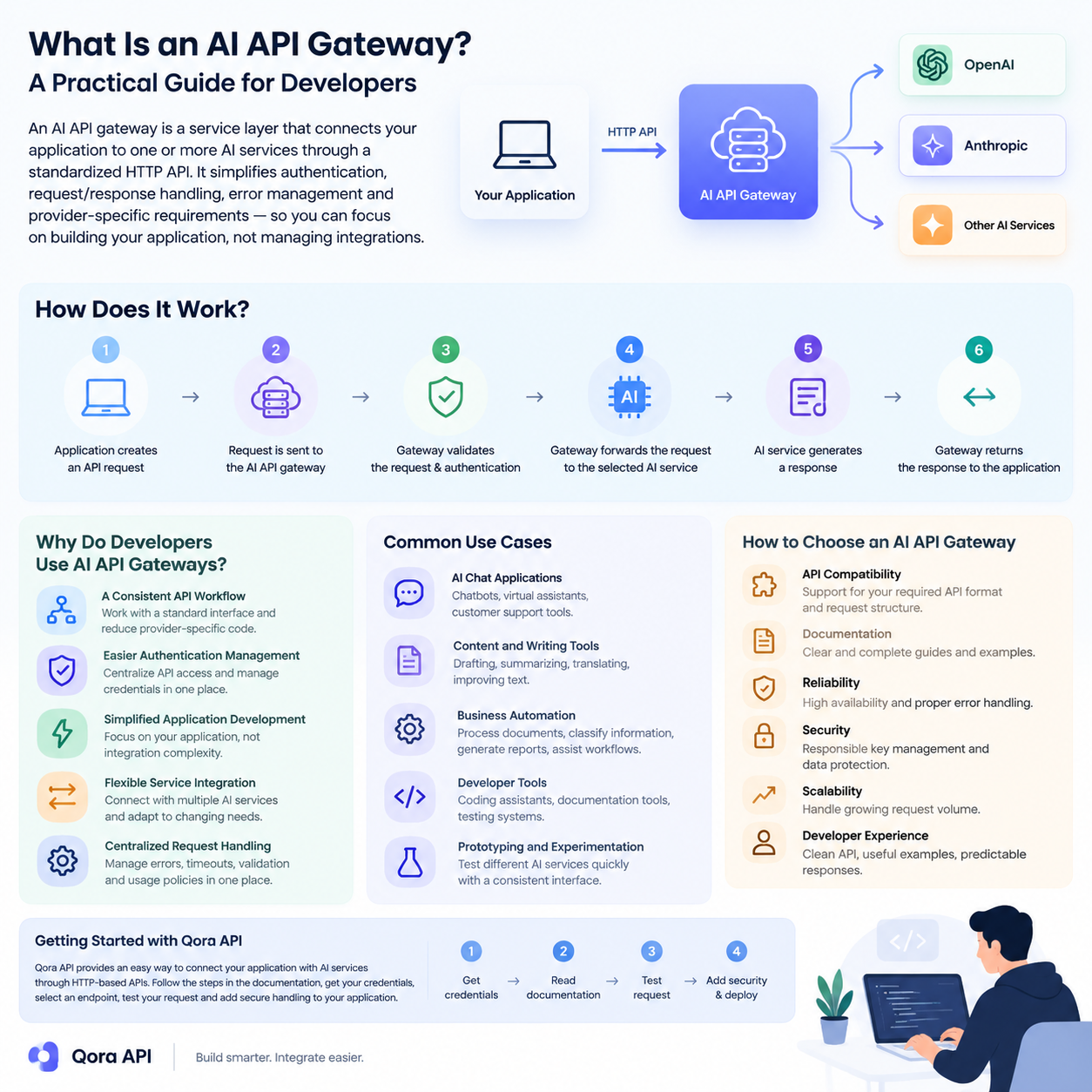
What Is an AI API Gateway? A Practical Guide for Developers Artificial intelligence is becoming part of modern software, from customer support tools and content platforms to automation systems and developer applications. However, connecting an application to AI services can become complicated when developers need to manage authentication, API requests, responses, errors, and provider-specific requirements.…
What Is an AI API Gateway? A Practical Guide for Developers
Artificial intelligence is becoming part of modern software, from customer support tools and content platforms to automation systems and developer applications. However, connecting an application to AI services can become complicated when developers need to manage authentication, API requests, responses, errors, and provider-specific requirements.
An AI API gateway provides a simpler way to connect applications with AI services through a consistent HTTP API. This guide explains what an AI API gateway is, how it works, why developers use one, and what to consider when choosing an API gateway for an AI-powered application.
What Is an AI API Gateway?
An AI API gateway is a service layer that connects an application to one or more artificial intelligence services through a standardized API interface.
Without an API gateway, an application may need to communicate with different AI providers using separate authentication methods, request formats, response structures, and error-handling systems. An AI API gateway can provide a more consistent development experience by placing a common interface between the application and the AI service.
For developers, this means the frontend or backend application can use a predictable API workflow while the gateway manages the connection to the available AI services.
An AI API gateway may be used for tasks such as:
- Sending text-generation requests
- Connecting software applications with language models
- Managing API authentication
- Processing AI responses
- Handling request errors
- Organizing access to AI-powered services
The exact features depend on the gateway provider and its supported services.
How Does an AI API Gateway Work?
The basic workflow of an AI API gateway is straightforward.
First, an application sends an HTTP request to the gateway. The request usually contains authentication information, a selected model or service, and the required input data.
The gateway then processes the request and forwards it to the appropriate AI service. After the AI service returns a response, the gateway sends the result back to the application.
A typical workflow looks like this:
- The application creates an API request.
- The request is sent to the AI API gateway.
- The gateway validates the request and authentication details.
- The gateway forwards the request to the selected AI service.
- The AI service generates a response.
- The gateway returns the response to the application.
This structure allows developers to keep their application logic organized while using a consistent communication method.
Why Do Developers Use AI API Gateways?
A Consistent API Workflow
Different AI services may use different endpoints, parameters, and response formats. A gateway can help developers work with a more consistent interface, reducing the amount of provider-specific code inside the application.
Easier Authentication Management
API credentials should be handled carefully. Instead of placing multiple provider credentials throughout an application, developers can centralize API access through a gateway and manage authentication in one location.
Simplified Application Development
When the connection layer is standardized, developers can focus more on the application itself. This can be useful when building chat interfaces, automation tools, content applications, research systems, or internal business software.
Flexible Service Integration
A gateway can make it easier to connect an application with different AI services. This may help development teams test various services or adjust their architecture as project requirements change.
Centralized Request Handling
Applications may need consistent handling for errors, timeouts, request validation, and usage policies. A gateway provides a central location where these processes can be managed.
Common Use Cases for AI API Gateways
AI API gateways can support many types of software projects.
AI Chat Applications
Developers can use an AI API gateway as the connection layer for chatbots, virtual assistants, and customer support tools.
Content and Writing Tools
Applications for drafting, summarizing, translating, or improving text can communicate with AI services through a gateway instead of implementing separate integrations.
Business Automation
AI-powered automation systems may use a gateway to process documents, classify information, generate reports, or assist with internal workflows.
Developer Tools
AI API gateways can also support coding assistants, documentation tools, testing systems, and other developer-focused applications.
Prototyping and Experimentation
During early development, teams may want to test different AI services quickly. A consistent gateway interface can simplify experimentation and reduce repeated integration work.
How to Choose an AI API Gateway
Before choosing an AI API gateway, developers should evaluate several factors.
API Compatibility
Check whether the gateway supports the API format and request structure required by your application. Compatibility can reduce development time and make integration easier.
Documentation
Clear documentation is important for understanding authentication, endpoints, request parameters, response formats, and error messages.
Reliability
Review the gateway’s availability, response behavior, and error-handling process. Reliable access is especially important for applications used by customers or business teams.
Security
API keys and user data should be handled responsibly. Developers should review how authentication, data transmission, and access control are managed.
Scalability
Consider whether the gateway can support the expected request volume as the application grows. A solution that works for a small prototype may require additional features for production use.
Developer Experience
A clean API, useful examples, and predictable responses can make a significant difference during implementation and maintenance.
Getting Started with Qora API
Qora API provides an API-based way for developers to connect applications with AI services. Before integrating any API, developers should review the available documentation, authentication requirements, endpoint details, and supported request formats.
A basic integration process generally includes the following steps:
- Create or obtain the required API credentials.
- Review the API documentation.
- Select the endpoint and service required by your application.
- Send a test request from your development environment.
- Check the response and error behavior.
- Add secure request handling to your application.
- Test the integration before using it in production.
Developers should avoid exposing API keys in frontend code or public repositories. Credentials should be stored securely on the server side or in protected environment variables.
Conclusion
An AI API gateway can simplify the process of connecting applications with artificial intelligence services. By providing a consistent API workflow, centralized authentication, and a structured integration layer, it can help developers build and maintain AI-powered applications more efficiently.
When selecting an AI API gateway, pay attention to compatibility, documentation, security, reliability, scalability, and overall developer experience. With the right API structure, developers can spend less time managing integrations and more time creating useful software products.
Qora API offers a practical starting point for developers who want to explore AI API integration and build applications around HTTP-based AI services.